Product 360° View
Let customers rotate, zoom and inspect products from every angle: an interactive 360° view as the first slide of the native Shopware product gallery, including variants.
In short
- Adds an interactive 360° viewer as the first slide of the native Shopware 6.7 product gallery.
- For shops that photograph products from several angles and sell items where shape and finish matter.
- Customers rotate, zoom and open the product in fullscreen on desktop and mobile before they buy.
- Frames are managed in a dedicated product editor tab, with variant inheritance and no external services.
Features in action
- 1
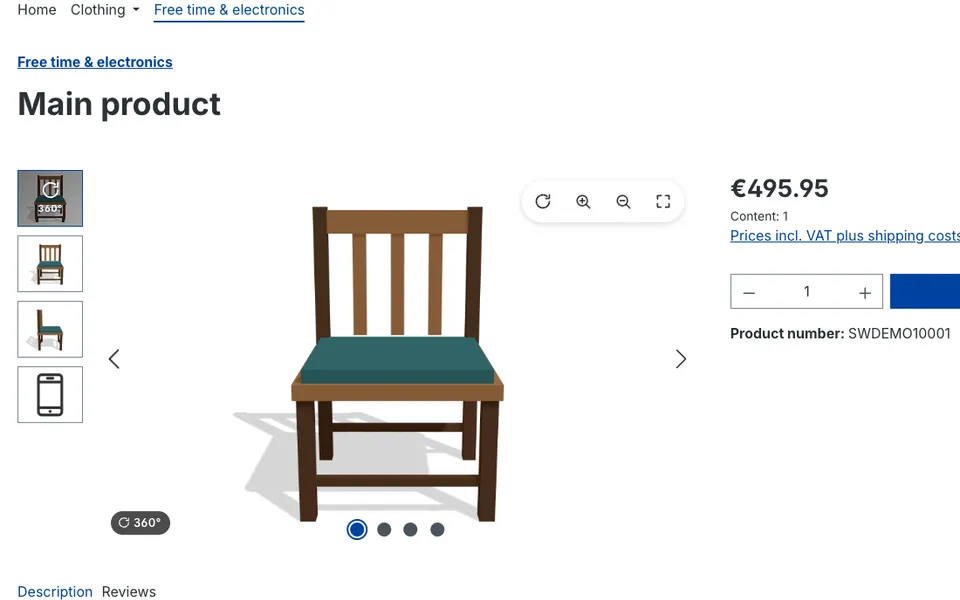
360° view as the first gallery slide
The viewer sits in the native product gallery with its own thumbnail, next to your regular product images.
- 2
Rotate by dragging or touch
Customers turn the product with the mouse or a finger. The rotation keeps a little momentum, like a real turntable.
- 3
Zoom, pan and fullscreen
Zoom in with the toolbar, a click or a pinch gesture and move around the zoomed view. The fullscreen button opens the viewer over the whole screen.
- 4
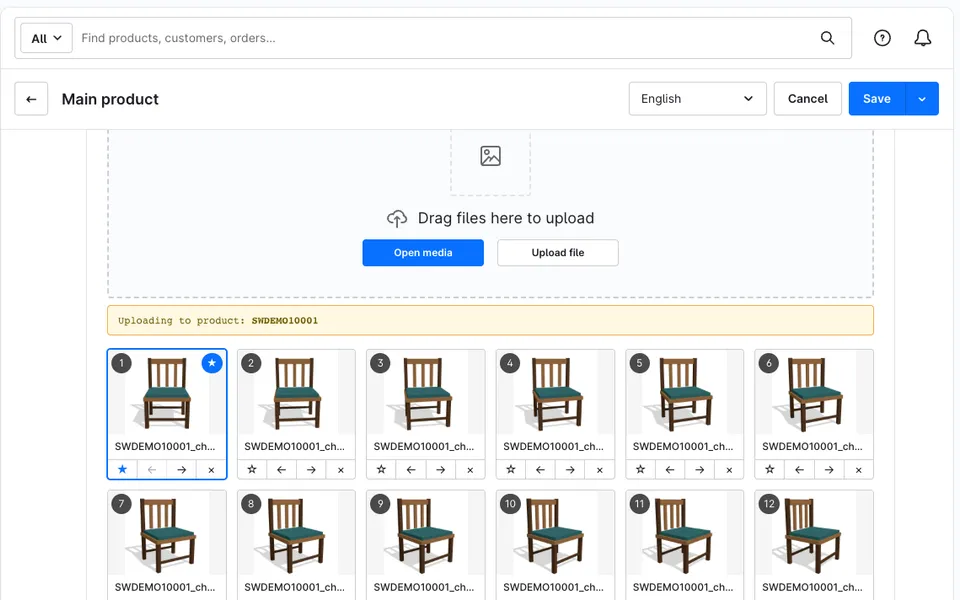
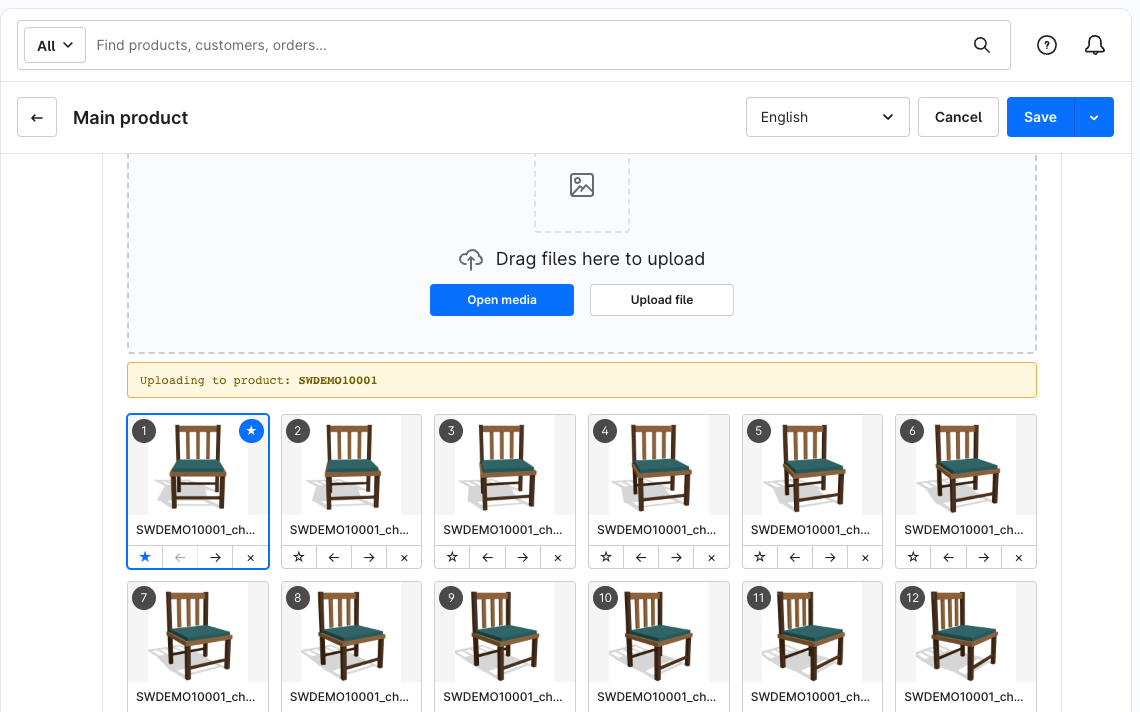
360° View tab in the product editor
Upload at least three frames, change the order with arrows or by file name and star frames that should also appear as regular gallery images.
- 5
Frames for variants
A variant inherits the frames of its parent product or gets its own set. The viewer switches without a page reload.
- 6
Auto-rotation
Optional auto-rotation with a global speed and a per-product override. It respects the reduced-motion setting of the device.
- 7
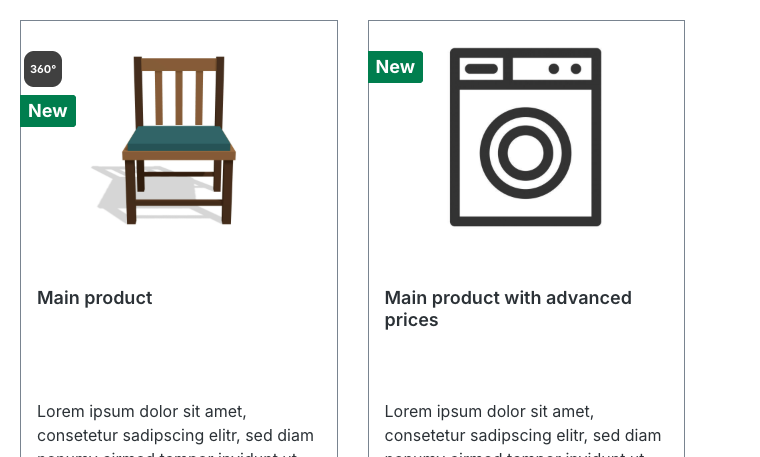
360° badge in listings
An optional badge on product cards shows in category pages and search results which products have a 360° view.
Why this extension
Without the plugin
The standard Shopware product gallery shows single images only. Customers cannot turn a product around, look at the back or zoom into details the way they would in a physical store.
With the plugin
Product 360° View adds an interactive 360° viewer directly to the native product gallery, without replacing your theme or gallery. You upload a frame sequence in the product editor, and the viewer appears as the first gallery slide with its own thumbnail.
Screenshots
Configuration step by step
- Install and activate the extension under Extensions › My extensions.
- Open the extension menu and choose Configure.
Set whether the 360° badge appears on product cards, whether auto-rotation starts by default, the default auto-rotation speed (milliseconds per frame) and the cache lifetime.
- Go to Catalogues › Products, open a product and switch to the 360° View tab.
- Turn on Enable 360° view for this product and upload at least three frames.
Change the order with the arrows or use Sort by file name.
- Optional: mark single frames with the star icon or set a product-specific speed.
Starred frames also appear as regular gallery images.
- For variants: keep the inherited frames of the parent product or choose Configure this variant separately.
- Save the product and open it in the storefront.
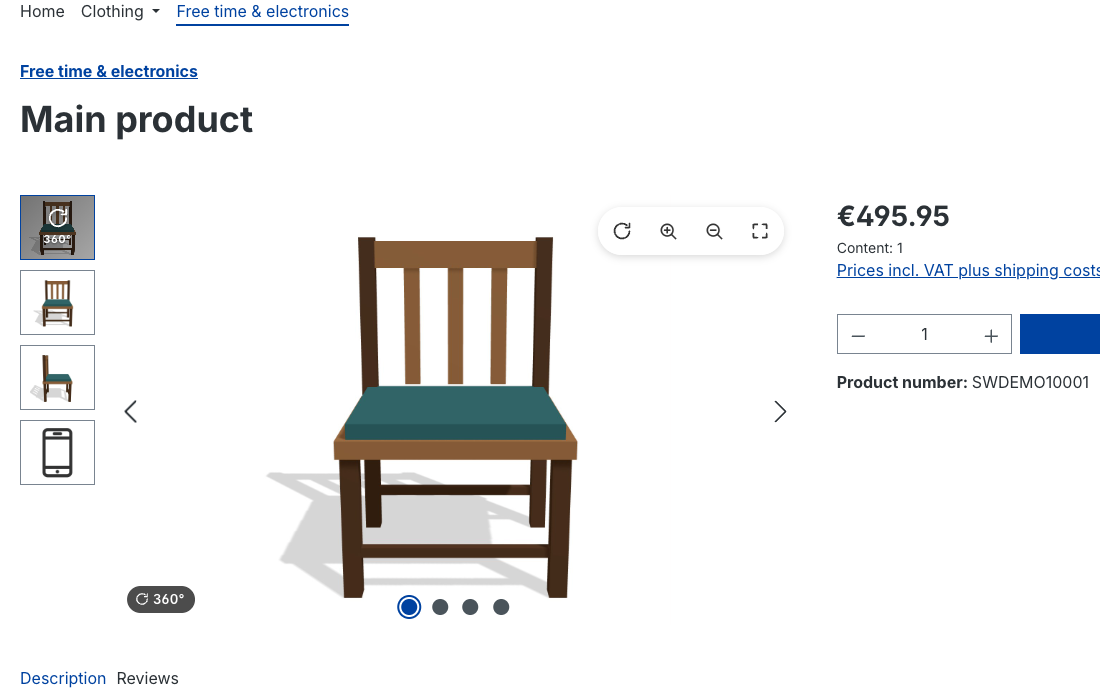
The 360° view is the first slide of the product gallery.
Frequently asked questions
Which Shopware versions are supported?
The extension supports Shopware 6.7.
How many images do I need for a 360° view?
At least three frames per product. More frames give a smoother rotation.
Does the 360° view work with variants?
Yes. A variant can inherit the frames of its parent product or use its own frames, and the viewer switches without a page reload.
Does the extension use external services or cookies?
No. The viewer runs without third-party libraries, external CDN or cookies and does not process personal data.
Which languages are included?
Administration and storefront texts are available in English and German.
Show your products from every angle
Add an interactive 360° view to your Shopware 6.7 product pages.
Get the extensionAll features
- Dedicated 360° View tab in the product editor with a per-product switch
- Frame upload with ordering by arrows or by file name
- Frames stored in a separate Media Manager folder, apart from product media
- Option to show selected frames as regular product gallery slides
- 360° view as the first gallery slide with its own thumbnail
- Drag and touch rotation, pinch-zoom and panning when zoomed
- Keyboard control and native fullscreen mode
- Optional auto-rotation that respects reduced-motion settings
- Global auto-rotation speed with per-product override
- Variant support with inheritance and switching without page reload
- Progressive frame loading: the viewer responds from the first frame
- Optional 360° badge on product cards in listings
- Compatible with Shopware 6.7
- Administration and storefront texts in English and German
Pilot programme
Full price€50
Pilot programme€35−30%
Get the plugin at a lower price – in return, tell us about your shop.
- Choose the pilot programme in the order form.
- Tell us which shop you run, how you use the plugin and what you are missing – in a short call (about 30 minutes) or a short questionnaire, whichever suits you.
- You get the plugin at the pilot price, and your feedback shapes the next versions.
This price applies until the plugin is published in the Shopware Store. After that the plugin is available in the Store for €9 / month or €90 / year – continued use then requires a Store licence.
Updates are included as long as we stay in active contact.
Order the plugin
Leave your details – we will send an invoice and, once paid, the plugin package with installation instructions.
Specifications
- Shopware
- 6.7.x
- Version
- 1.0.0
- Type
- Ready – buy directly
- Updated
- 22 Oct 2026
- Admin languages
- English, German
- Requirements
- Shopware 6.7, PHP 8.2+, no other extensions required
- Image formats
- JPG, PNG, WebP (at least 3 frames per product)
- External services & cookies
- None